
A plan for the person behind the team.
Review coaching, leadership and player development against your club’s standards. Capture feedback in the individual coach’s plan.
The soccer club development platform
Player and coach development plans, hundreds of drills, 3D training and game-day preparation. Connect the work on the pitch with the way you run your club.
Developed by former professional and collegiate athletes.
Built around every role in your club
What we offer
Choose a workflow. Click through the steps.
See how OneClub brings the work together.
Develop players · Step 1 of 3
Develop players / 01
See player focus areas across the club and open the development workspace that needs your attention.
Give every player a clear focus—and keep the next conversation connected to their progress.

Individual player development
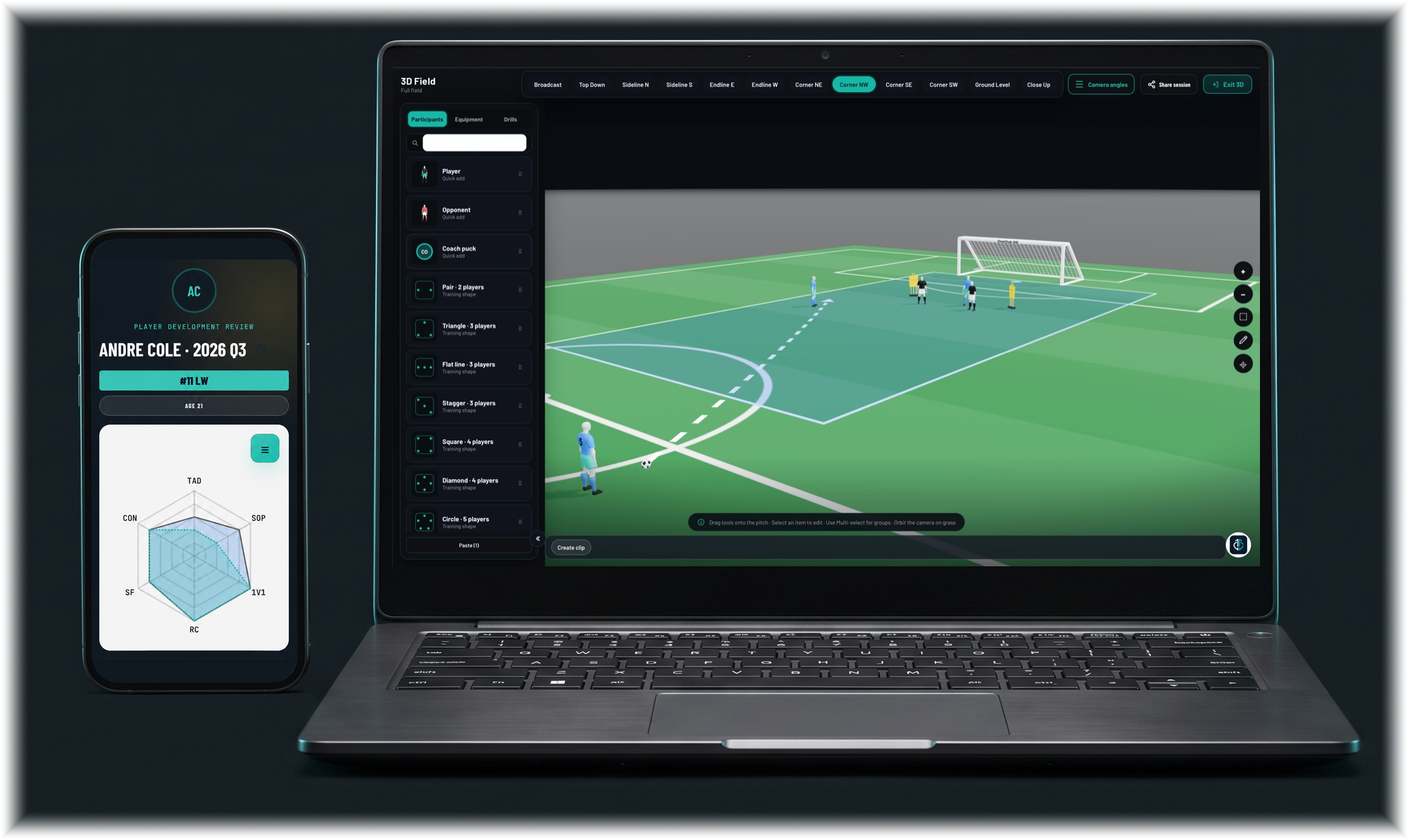
Turn IDP reviews into clear action plans. Bring player self-assessment and coach feedback together, agree on development priorities and give every player practical steps to work on. Return to the plan, review the evidence and follow their growth through each cycle.


Individual coach development
Give every coach an individual development plan. Review their coaching practice, agree on specific actions and use match evaluations to shape the next steps. Keep a clear record of their growth across development cycles.
Explore coach development & CDPsReview coaching, leadership and player development against your club’s standards. Capture feedback in the individual coach’s plan.
Agree on goals, timing, a process and how progress will be measured. Return to those actions as the coach develops.
Review coaching interventions, communication and match decisions. Set priorities for the next session or match.
Review the CDP. Agree on actions. Learn from match coaching.

Set the week’s learning. Keep coaches connected. See who’s progressing and where support is needed.

Scheduling & club operations
Bring team schedules, staff commitments, rosters and availability into the same place. Give everyone a clear view of what’s happening, who’s involved and where they need to be.


Club communication
Connect staff, players and families through the same club experience. Find the right people, start a chat or message, and keep communication alongside schedules and development.
Drill directory · 3D session planning
Pull from our drill directory to build your sessions, then bring your ideas to life in 3D. Plan the setup, players, equipment and coaching detail around what your team needs to develop.
Choose from our drill directory or build and save your own. Connect each session to your team’s focus and the work players have agreed in their IDPs.
Use the 3D field to communicate movement, spacing and player roles. Keep player status and availability in view as you prepare the group.

Periodization · Planning weeks at a time
Plan beyond the next session. Use periodization to organize successive training weeks around your game principles, player focus and match schedule. Set daily training loads, attach drills and balance preparation with recovery.

Game-day preparation · Export packets
Build your lineup with depth charts, substitutes and player status in view. Prepare set-piece routines and coaching notes, then export your game-day packet so staff can carry the plan onto the pitch.

Video analysis · Opponent scouting
Review your own match film or study the next opponent. Use Quick Action mode for fast clip capture, or open Video Analysis mode for a focused workspace with a timeline, clips and coaching notes.
Break down key moments, add coaching notes and build clips that make feedback clear for your players.
Capture the opponent’s shape, set pieces, threats and weaknesses. Bring your observations together in a suggested game plan.
Send scouted clips or your own game clips to players, teams and other staff. Keep the footage and coaching context together in club conversations.

GPS, performance & wellness
Bring supported GPS workload data, player check-ins and development context into staff planning and review.
GPS features depend on your club’s setup and supported data sources.


Club growth & recruitment
Connect squad depth, scouting needs and recruitment progress. See the options across your teams and keep your next additions aligned with the club you’re building.

Built around your club
Put ready-to-use coaching resources and our drill library to work for your coaches and club. Give your staff a starting point for learning and planning the week.
Bring your own learning content and shape the experience around your philosophy. Configure player and coach development criteria, planning fields, branding and access by role.

Intelligent assistance · Continuous enhancements
Use AI-assisted tools to turn your club’s learning material into draft summaries and quiz questions. Your staff review and refine the content before publishing.
We’re continuing to enhance OneClub OS, including developing agentic systems to support more of the work around club operations and development.
Keep your club’s learning sources at the center.
Use assistance for summaries and quiz questions.
Review and refine before anything is published.
Experience inside the game
Built with a focus on the people using it: players working toward their next step, coaches supporting their development and leaders bringing a club together.
Built around your club
Show us your teams, development approach and current ways of working. We’ll walk you through the OneClub experience around your club’s needs.